I know this might have been discussed already for specific devices.
But for the first time ever,
![]()
I am releasing this mod for swapping the internal and external sdcard for ANY Android Phone or Tablet!
Q. Why would you want to swap these memory locations?
A. Internal storage is generally 1 GB, 2 GB or at max 4 GB (in case of mid-end devices), which gets filled up really fastly once you install one or two HD games. External sdcard on most devices can be of upto 32 GB. Thus swapping them will give a lot more breathing space for the devices to get installed!
Q. How to swap?
A. I have written a guide for that here: http://www.droidiser.com/2012/11/swa...d-android.html
Follow it, and upload your vold.fstab file anywhere (find it in /system/etc) and either post the link in this thread or comment the link on my blog post. And I shall give a modified vold.fstab file which you can replace using the instructions I have given in the link above. Post your device's name along with the lionk to the file so that I can add it in the list below!
Here's a pic that will clear the fog a bit:
![]()
An alternative to this is the Directory Bind app which will let you link files from internal sdcard to the external sdcard. But using the app is cumbersome and it will require you to make links for each and every folder you want o move to the external sdcard. This mod does it all at once!
Currently confirmed devices with links to modified vold.fstab files:
Looking back for some replies to help you out to fix this annoying thing.
But for the first time ever,
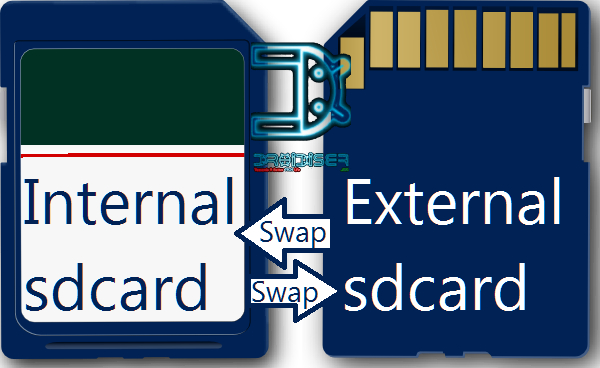
I am releasing this mod for swapping the internal and external sdcard for ANY Android Phone or Tablet!
Q. Why would you want to swap these memory locations?
A. Internal storage is generally 1 GB, 2 GB or at max 4 GB (in case of mid-end devices), which gets filled up really fastly once you install one or two HD games. External sdcard on most devices can be of upto 32 GB. Thus swapping them will give a lot more breathing space for the devices to get installed!
Q. How to swap?
A. I have written a guide for that here: http://www.droidiser.com/2012/11/swa...d-android.html
Follow it, and upload your vold.fstab file anywhere (find it in /system/etc) and either post the link in this thread or comment the link on my blog post. And I shall give a modified vold.fstab file which you can replace using the instructions I have given in the link above. Post your device's name along with the lionk to the file so that I can add it in the list below!
Here's a pic that will clear the fog a bit:
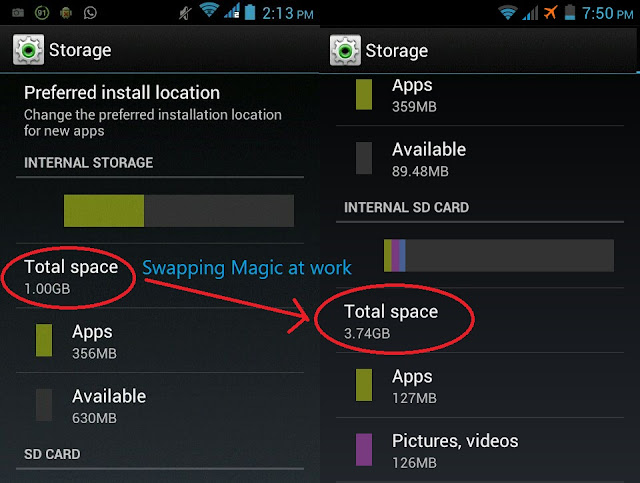
An alternative to this is the Directory Bind app which will let you link files from internal sdcard to the external sdcard. But using the app is cumbersome and it will require you to make links for each and every folder you want o move to the external sdcard. This mod does it all at once!
Currently confirmed devices with links to modified vold.fstab files:
Looking back for some replies to help you out to fix this annoying thing.