About this Guide:
In this guide you will learn how to Update your phone to the latest stock firmware available for your device for your region/country with Kies.
Note:
In this guide you will learn how to Update your phone to the latest stock firmware available for your device for your region/country with Kies.
- You will make your device status from Un-official To Official.
- Your device will get Un-Rooted and all the changes you have made by rooting the device will be fixed :p.
- If you have flashed wrong stock ROM or of other Region/Country this will fix it.
- Fix software problems you face :fingers-crossed:
Quote:
|
Please Dont Copy this to other forums and blogs. Give Direct Link to this Guide. |
Note:
- If you have Bricked your device or your device is Not booting Up This thread is Not for you.
- For those who face Software problems are requested to try resetting your Phone to check if it fixes by it Before trying this.
Quote:
Go to Settings--> Back up and reset --> Factory Data Reset
Note:
Things you need:
- A computer with Kies installed.
- Internet Connection.
- USB Cable.
- A working Brain :p.
- Of-course the device to be updated.
For Example I will be using My Device - Samsung Galaxy S3 Mini "GT-I8190N" :cowboy:
Step 1:
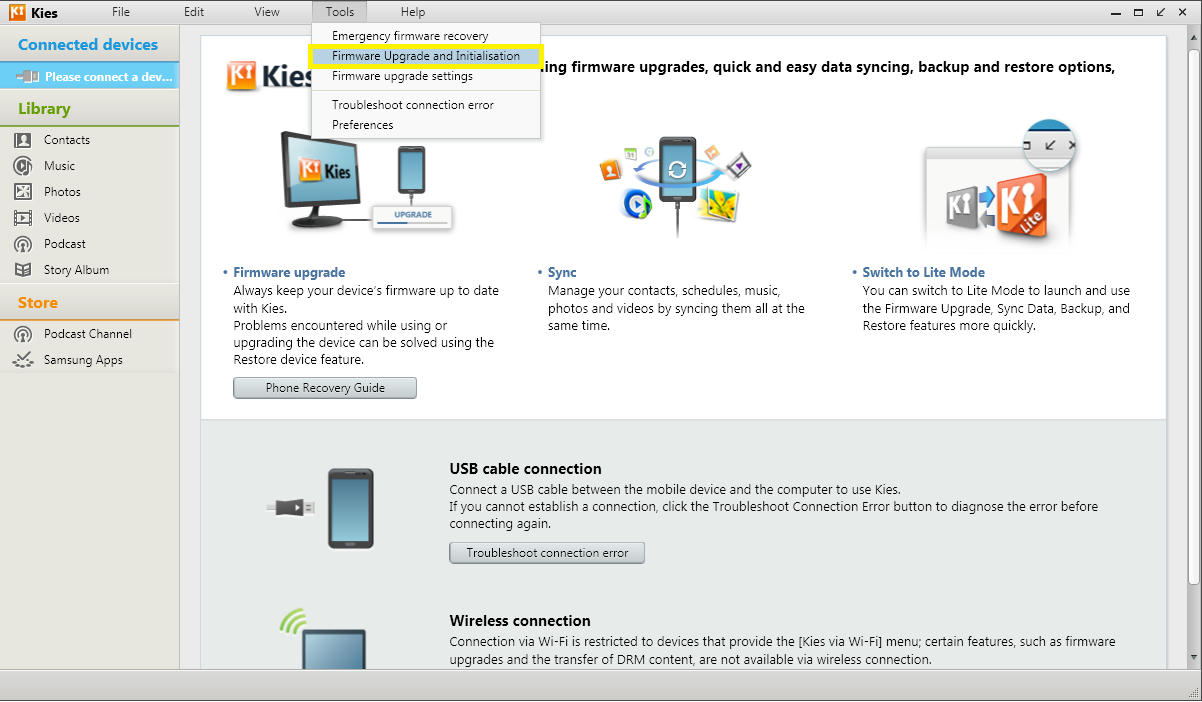
- Open Kies
- Go to Tools
- Firmware Upgrade and Instantiation
Step 2:
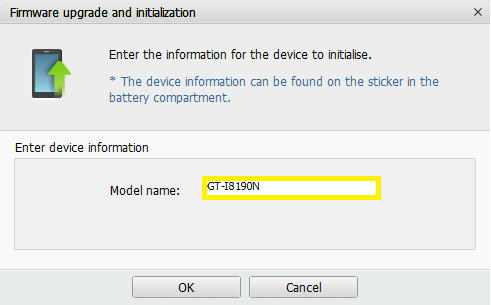
- Enter Your Phone Model Number
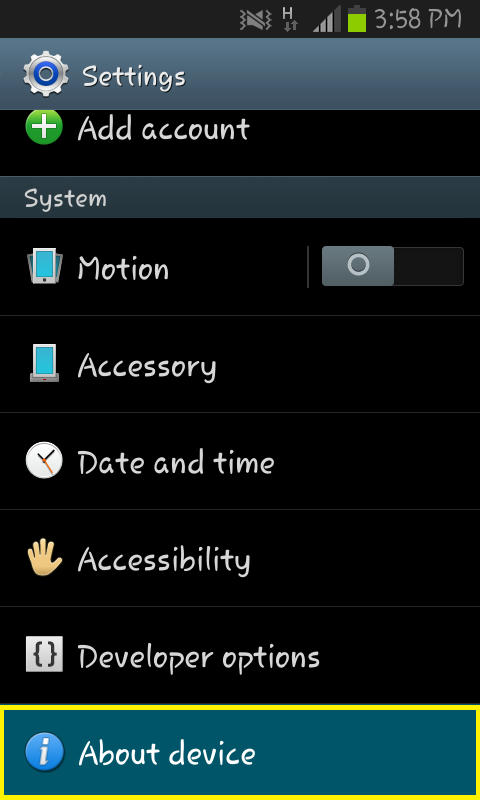
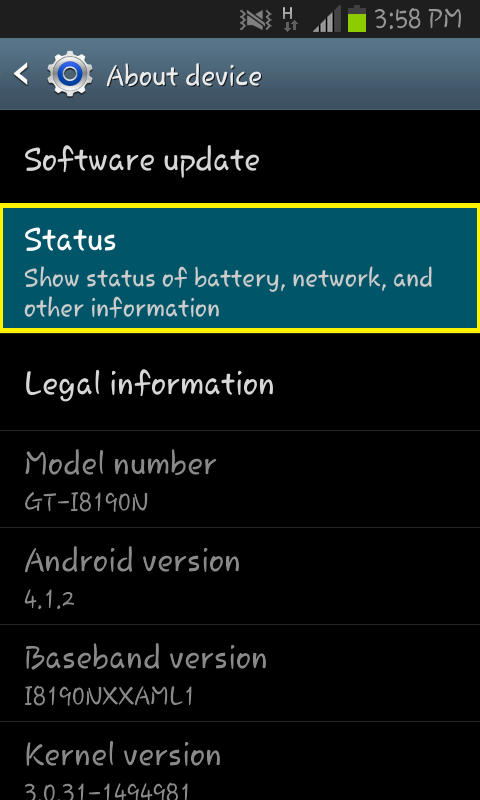
Go to Settings --> About Phone, Find Your Model Number ;)
Note: You Should Enter As it is in Settings i.e, "GT-I8190N"
Step 3:
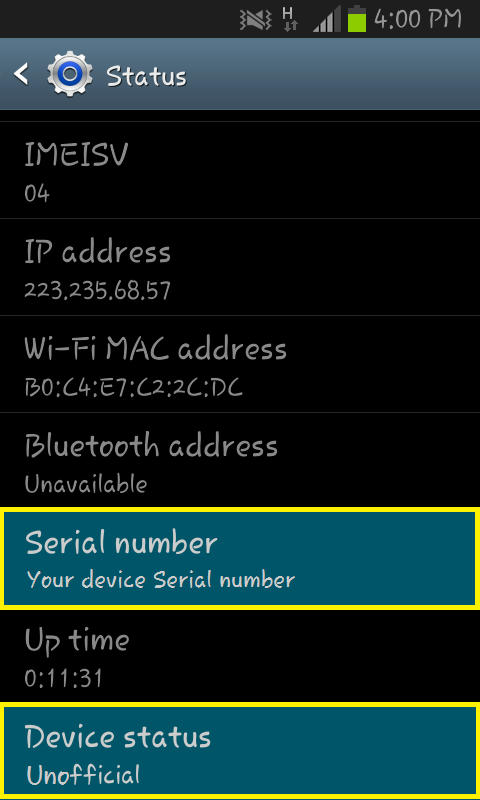
- Now Enter your device Serial Number
Note: Go to Settings--> Status--> Find Serial Number. :highfive:
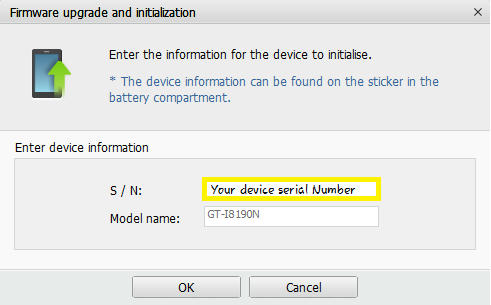
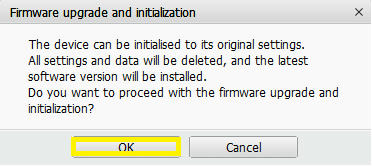
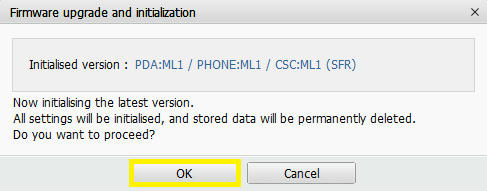
Step 4:
- Click "OK" to the Dialogue boxes
Quote:
|
Now It will start Downloading Drivers etc to Flash.. 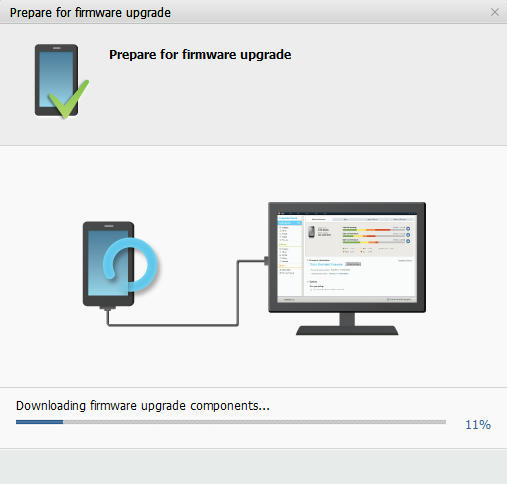
|
Step 4:
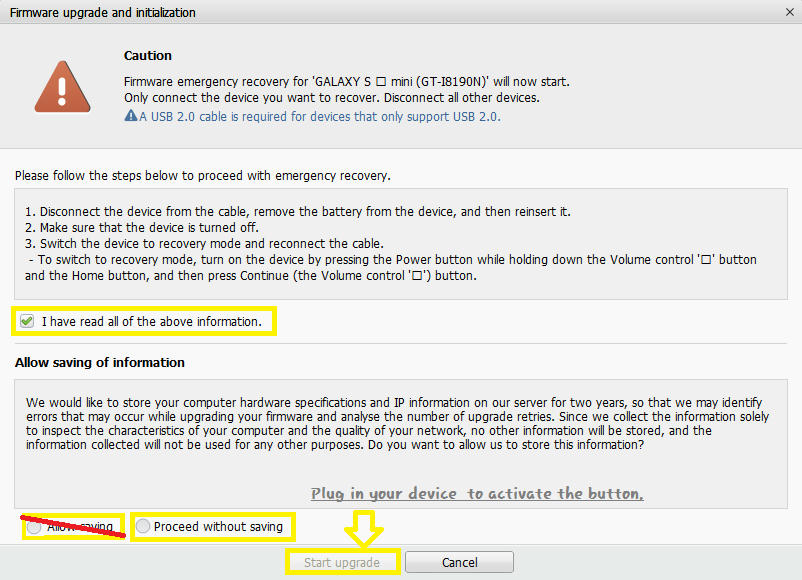
- Check "I have read all of the above Information."
- Connect your device
- Select "Proceed without saving"
- Then Click "Start Upgrade"
- All Moste Done! :highfive:
Quote:
|
It will now download and flash the Firmware to Your Device 
|
Step 4:
- Your device will Reboot and Install the firmware.
- Reboot and You're Done!
Quote:
|
Congratulations! Your Device is Now Official!
|

Quote:
|
Originally Posted by SadEff
PM me if you have some thing use full to add to this thread.
|
Step 4::p
Hit the thanks button