Hola Guys!
The long awaited Micromax A110 a.k.a. Micromax Canvas 2, which is a succesor of the original Micromax Canvas, is finally available on the stores. (Don't know about offline ones, but it's certainly present on loads of online stores.) The current best price for this device is INR 9,999 at Saholic and Snapdeal.
Note: The device is sold out at snapdeal at the time of writing.
Let's get started with some nice looking pics of the white model of this giant and then we shall take a look at the specs of the device.
![]()
![]()
P.S. You can click the thanks button to applaud the one hour or more it took me to put this thread up for you guys!
Here are some basic specs:
If you are a lucky owner of this device, please confirm the specs marked with a red asterisk sign *. You can use an app called Quick System Info pro from the play store to view the detailed specs of your device. Also, everyone would love to see how this device scores on various benchmarks like AnTuTu, Nenamark and Quadrant.
Specs wise, this device looks a winner in all sections, though I would have loved a 1 GB ram to support the dual core processor.
Your reviews based on the usage of the device are most welcomed.
If you are new to the Android world, you might want to check out 5 things every Android user MUST do on his new Android device and the must-have apps to install on your device. Those apps are sure to enhance your Android experience.:D
Rooting and other developmental stuff:
Disclaimer: Rooting can potentially harm your device and will void your manufacturer's warranty.
Before proceeding with rooting your device, you should learn What is rooting and why you should or should not do it?
The method below is untested. Only any exerienced user should proceed with this as of now. (Till a rooting guide appears which is confirmed working on your device.)
Install drivers to your device. To confirm if you have set them up right, you should check if ADB is working fine on your device, because adb works only if the drivers have been installed successfully. See this: How to setup ADB and Fastboot properly. In step 5 of that guide, use these official drivers provided by Micromax.
Then use Root with Restore by bin4ry to root your device. This should theoretically work as this rooting tools supports insanely large number of phones running ICS and JB.
Come on MMX A110 owners, let's start some serious development on this phone !!!
I shall try my best to keep the O.P. updated.
The long awaited Micromax A110 a.k.a. Micromax Canvas 2, which is a succesor of the original Micromax Canvas, is finally available on the stores. (Don't know about offline ones, but it's certainly present on loads of online stores.) The current best price for this device is INR 9,999 at Saholic and Snapdeal.
Note: The device is sold out at snapdeal at the time of writing.
Let's get started with some nice looking pics of the white model of this giant and then we shall take a look at the specs of the device.
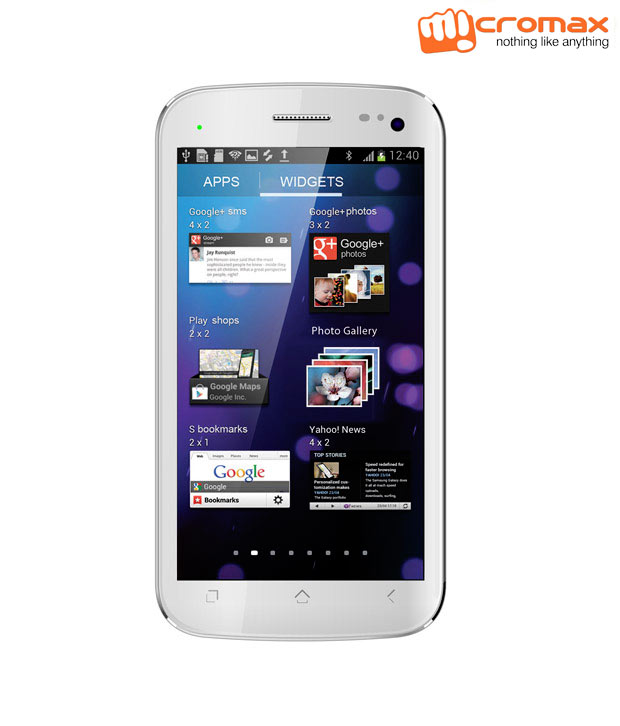
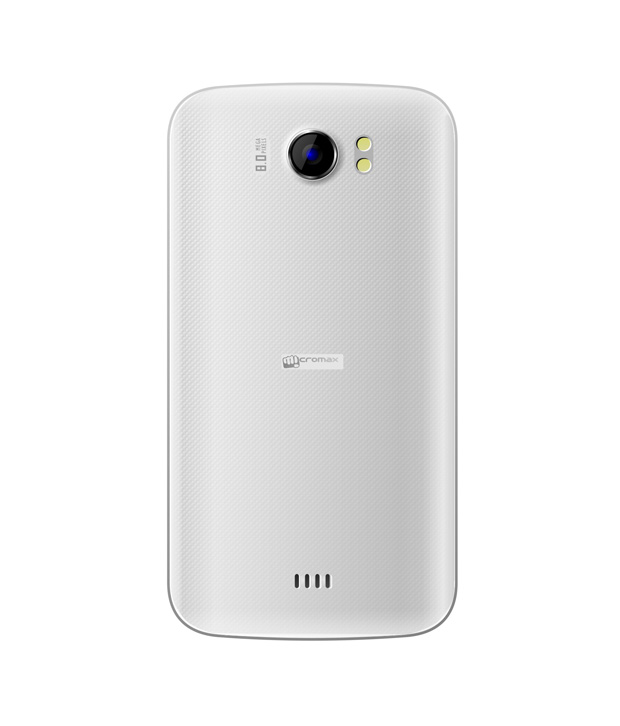
P.S. You can click the thanks button to applaud the one hour or more it took me to put this thread up for you guys!
Here are some basic specs:
- 5 Inch IPS capacitive screen with 480x854 resolution, 16.8 million colors, ~196 ppi density and 0.1296 mm dot pitch (Don't know what dot pitch means), 5 point multitouch
- Dual Core 1.2 GHz processor, Mediatek MT6577 chipset*
- 8 MP rear camera with LED flash and autofocus
- Android v4.0.4, Dual SIM
- Bluetooth v3.0
- 2000 mAH battery which provides upto 5 hours of talktime and 180 hours of standby*
- 0.3 MP Secondary Camera
- 2 GB internal Memory*
- All basic connectivity options like 3G, wifi, GPRS, usb, hotspot etc.
- 512 MB of RAM*
- Stuff you will get with the device: User Guide, Warranty Card, USB cable, battery, charger and handsfree
If you are a lucky owner of this device, please confirm the specs marked with a red asterisk sign *. You can use an app called Quick System Info pro from the play store to view the detailed specs of your device. Also, everyone would love to see how this device scores on various benchmarks like AnTuTu, Nenamark and Quadrant.
Specs wise, this device looks a winner in all sections, though I would have loved a 1 GB ram to support the dual core processor.
Your reviews based on the usage of the device are most welcomed.
If you are new to the Android world, you might want to check out 5 things every Android user MUST do on his new Android device and the must-have apps to install on your device. Those apps are sure to enhance your Android experience.:D
Rooting and other developmental stuff:
Disclaimer: Rooting can potentially harm your device and will void your manufacturer's warranty.
Before proceeding with rooting your device, you should learn What is rooting and why you should or should not do it?
The method below is untested. Only any exerienced user should proceed with this as of now. (Till a rooting guide appears which is confirmed working on your device.)
Install drivers to your device. To confirm if you have set them up right, you should check if ADB is working fine on your device, because adb works only if the drivers have been installed successfully. See this: How to setup ADB and Fastboot properly. In step 5 of that guide, use these official drivers provided by Micromax.
Then use Root with Restore by bin4ry to root your device. This should theoretically work as this rooting tools supports insanely large number of phones running ICS and JB.
Come on MMX A110 owners, let's start some serious development on this phone !!!
I shall try my best to keep the O.P. updated.